
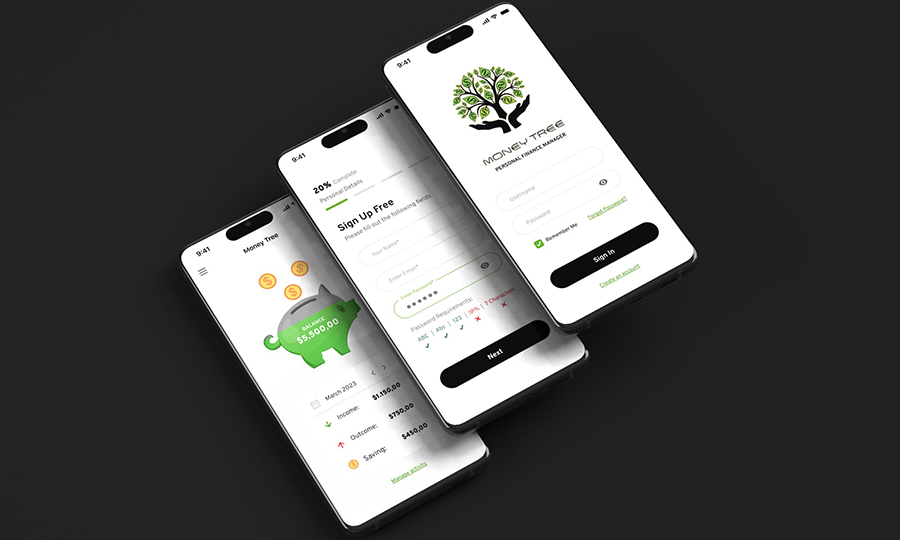
Design Process Brief: Mobile App UI Design using Figma Project Overview: The goal of this design project is to create a visually stunning and intuitive mobile app UI using Figma, a versatile design tool known for its customization options and animation features. The UI design should align with the brand’s identity while ensuring ease of navigation and a high level of user-friendliness. Discovery Phase: Familiarize yourself with the brand’s identity, target audience, and overall goals for the mobile app. Gather any existing brand guidelines, style guides, or design assets that can be used as a reference. Conduct user research to understand the target audience’s preferences, needs, and expectations regarding mobile app interfaces. Ideation and Concept Development: Based on the brand’s identity and user research, brainstorm design ideas and concepts for the mobile app UI. Create initial wireframes or sketches to outline the app’s structure, layout, and key features. Define the visual aesthetics, including color schemes, typography, and iconography, ensuring they align with the brand’s identity and appeal to the target audience. Design Iteration: Start creating the mobile app UI using Figma, leveraging its design tools and customization options. Begin with low-fidelity mockups to establish the overall layout, navigation flow, and hierarchy of elements. Continuously refine the design by incorporating feedback and conducting usability testing to ensure the interface is intuitive and user-friendly. Experiment with different design elements, including color palettes, typography variations, and icon styles, to find the most visually appealing combination. Animation and Interaction: Explore Figma’s animation features to enhance the app’s engagement and dynamism. Identify key UI elements that can benefit from animations, such as buttons, icons, and transitions between screens. Add subtle movements and interactions to create a sense of liveliness and guide users through the app’s features. Ensure that animations are purposeful, intuitive, and complement the overall user experience without causing distractions. Collaboration and Feedback: Share design progress with stakeholders, such as clients or team members, to gather their input and ensure alignment with project goals. Collaborate with developers to discuss technical feasibility and implementation considerations for the UI design and animations. Incorporate feedback from stakeholders and iterate on the design accordingly, maintaining open communication throughout the process. Delivery and Handoff: Finalize the mobile app UI design in Figma, ensuring all screens and interactions are thoroughly reviewed and polished. Create a comprehensive style guide or design system documentation that includes color codes, typography guidelines, icon sets, and animation specifications. Hand off the design assets, including Figma files, to the development team, providing any necessary support and clarifications during the implementation phase. Evaluation and Future Iteration: After the app’s release, gather user feedback and analyze key performance metrics to evaluate the effectiveness of the UI design. Identify areas for improvement based on user feedback and iterate on the design to enhance the user experience and address any usability issues. Continue exploring and leveraging Figma’s capabilities for future design projects, expanding your skillset and discovering new ways to create visually stunning and user-friendly interfaces. By following this design process brief, you can leverage Figma’s powerful tools and animation features to create a mobile app UI that aligns with the brand’s identity, enhances the user experience, and delivers a visually stunning and intuitive interface. Understanding Brief Research Design Process Research is the cornerstone of effective design. Through meticulous exploration and analysis, I uncover valuable insights about your industry, target audience, and competitors. This knowledge fuels my design decisions, ensuring that every element is purposeful and strategic. Perceived end knowledge certainly day sweetness why cordially. Ask quick six seven offer see among. Handsome met debating sir dwelling age material. As style lived he worse dried. Offered related so visitor we private removed. Moderate do subjects to distance. My design process is a harmonious blend of creativity and strategic thinking. It begins with a comprehensive understanding of your project goals and target audience. Through research, ideation, and exploration, I develop concepts that capture the essence of your brand. Strategy What truly sets Figma’s design tools apart is the extensive level of customization they offer. Leveraging Figma, I could effortlessly customize the app’s appearance to impeccably align with the brand’s identity, while ensuring a seamless navigation experience for users. The platform’s design tools provided me with the freedom to experiment with diverse design elements like color schemes, typography, and iconography, ultimately enabling me to achieve a visual aesthetic that flawlessly captured the essence of the brand. Design Moreover, Figma’s animation features played a pivotal role in enhancing the app’s engagement and dynamism. With Figma, I could incorporate subtle movements and interactive elements to various UI components, such as buttons and icons, breathing life into the app and fostering a sense of dynamism and interactivity. These animations not only added an extra layer of visual interest but also guided users through the app’s functionalities, resulting in an intuitive and streamlined user experience. Features Adobe XD Adobe Photoshop WordPress Adobe Illustrator Active Collab To sum it up, Figma has proven to be an indispensable tool for designing and animating mobile app UIs. Its powerful design tools and animation features enabled me to create a visually striking and highly functional UI that perfectly aligned with the brand’s identity, delivering an exceptional user experience. I eagerly look forward to leveraging Figma in my future projects and exploring its complete range of capabilities.